

Creator
For streamers publishing consistently.
About 32 centsper AI-assisted clip*
$29USD/month + applicable tax
90 AI-assisted clips per billing month
Explore CreatorDesktop software for livestreamers
Capture the last 60 seconds with voice or a hotkey while you're live. KLYPPR makes the short in the background while you keep streaming.
Voice or F9 · Works with OBS
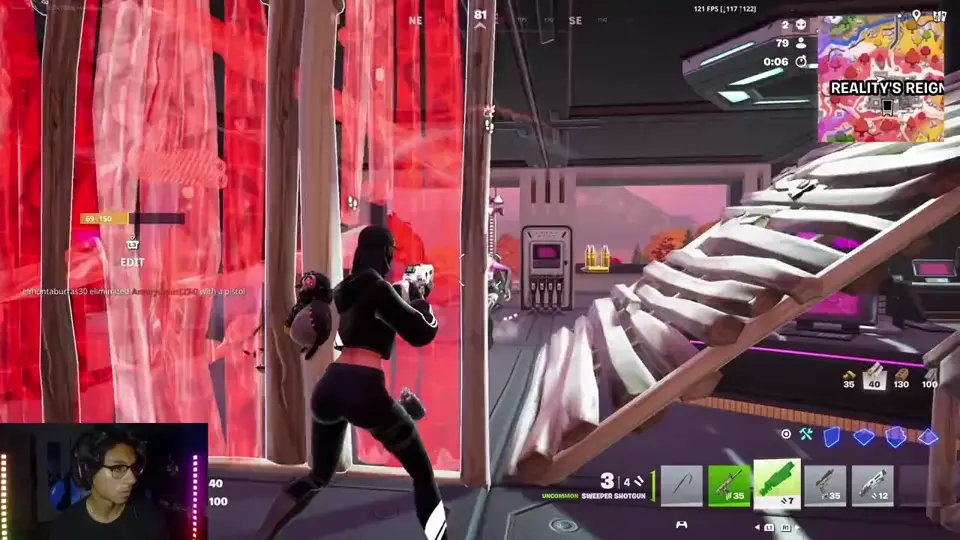
You’re live. Keep streaming.
Mid-stream · capture the last 60s
 KLYPPRFrame · Hook · Caption
Working in the background
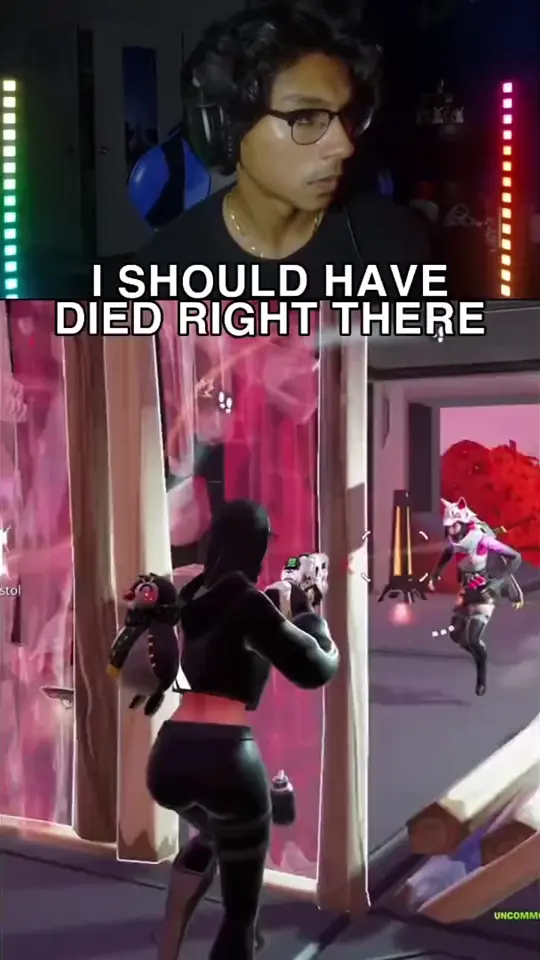
Ready while you’re still live
You keep streaming. KLYPPR works in the background.
Your stream creates the moments. Short-form gives them more chances to reach people who weren't there live. KLYPPR helps turn those moments into content while you keep streaming.
TikTok · Instagram Reels · YouTube Shorts
1 stream. More clips. More chances to get discovered.
The software behind the moment
Stay live. KLYPPR works in the background.
Review when you want to.
Swipe to explore the full screenshot.

See your stream, template, trigger status, processing queue and review state in one place.
Open full screenshotThe finished product
Choose the format. KLYPPR handles the framing, hook and presentation so the moment is ready when you are.
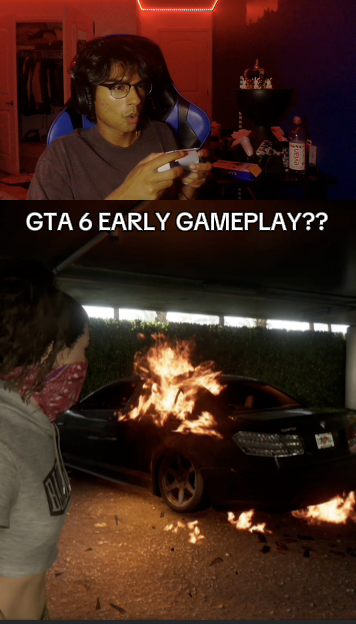
Reaction and gameplay share the frame, keeping both the creator and the moment in focus.
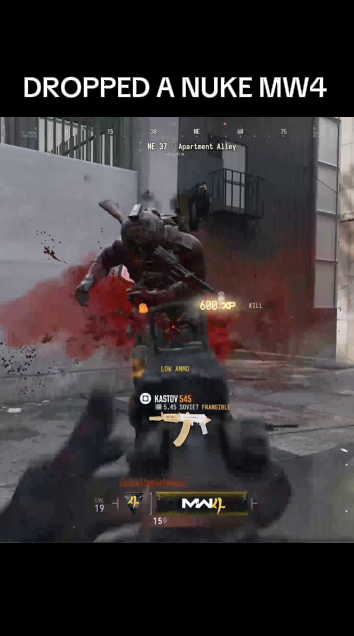
A gameplay-first layout lets the action lead while the hook gives the moment context.
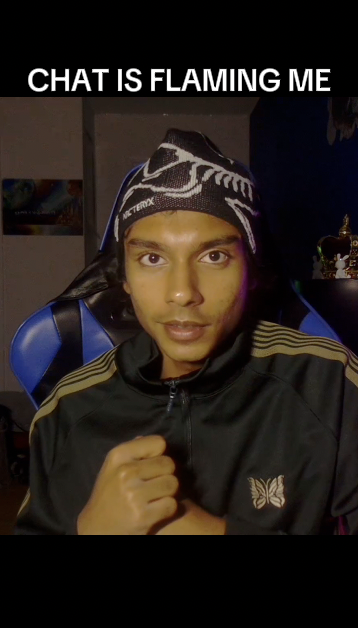
A personality-led layout turns reactions and commentary into a focused vertical short.
Capture without breaking the stream
Use your voice or a hotkey to capture the previous 60 seconds. KLYPPR takes it from there while your stream keeps going.
Interactive demo · no microphone or screen access.
Less post-stream work
Turn your best stream moments into short-form content without spending the night scrubbing VODs, editing, and uploading manually. Growing creators shouldn't need a clipping team just to stay consistent.
Capture live. Let KLYPPR handle the short. Review when you want control.
Find the VOD · Find the moment · Edit · Caption · Export · Upload
Trigger live · Review · Publish
Same core features in both plans. Billed monthly, plus applicable tax. 7-day free trial, activated in the app, no credit card required.
For streamers publishing consistently.
About 32 centsper AI-assisted clip*
$29USD/month + applicable tax
90 AI-assisted clips per billing month
Explore CreatorFor high-volume creators publishing several times per day.
About 20 centsper AI-assisted clip*
$49USD/month + applicable tax
240 AI-assisted clips per billing month
Explore Growth*Approximate cost at full monthly usage, before tax. Billed monthly, not per clip.
Start with a free trial. Download for Windows / Mac · View full pricing.
A few useful details
Voice or F9 · Works with OBS
Yes. KLYPPR is designed to capture the previous 60 seconds and process the moment in the background without requiring you to end your stream.
KLYPPR is built for supported OBS-based desktop setups. Capture-card, console, and facecam workflows depend on how your sources are configured in OBS; confirmed setup requirements are provided with beta access.
KLYPPR runs on Windows 10 and 11 (64-bit) and on Macs with Apple silicon, alongside OBS Studio. See the download page for current builds.
Yes. Review Mode lets you approve, edit, or publish a finished clip. You can also use automatic publishing with supported destinations you have configured; TikTok auto-publishing is not available during the beta.
KLYPPR creates vertical output for TikTok, Instagram Reels, and YouTube Shorts. Connected publishing is supported for configured YouTube destinations. For TikTok, KLYPPR supports Send to TikTok for Editing — you finish publishing in TikTok; direct posting to TikTok is not available during the beta. Platform-ready output can be used elsewhere without implying a direct integration.
Your 7-day free trial begins when you activate it in the Klyppr app, with 10 AI-assisted clips a day. No credit card required. Nothing is charged automatically — you only pay if you choose Creator or Growth and subscribe. Subscribe during the trial and your first charge is on the day it ends.
Download KLYPPR, sign in, and activate your free trial in the app.
Your next great moment is coming
Download KLYPPR. Your 7-day free trial starts when you activate it in the app.
Download for Windows / Mac